
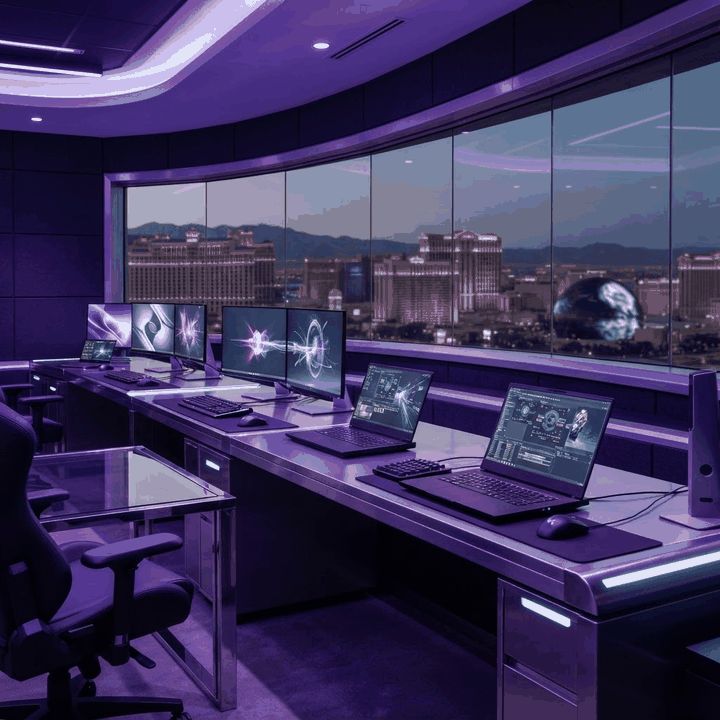
Buying a Computer in Las Vegas
Las Vegas buyers need computers for hospitality operations, remote work, education, content creation, gaming, and small-business management. The local climate adds practical concerns: dust and high indoor cooling demands can affect thermal performance, while frequent travel makes battery life and durability important. The brands below are widely available through major retailers, direct sales, or authorized partners. Model quality varies within every brand, so compare the exact configuration rather than relying on the badge alone.
1. Apple
Apple is a leading option for users who value cohesive hardware and software, efficient processors, strong displays, and integration across phones, tablets, and computers. MacBook Air models suit mobile professionals and students, while MacBook Pro and Mac Studio systems serve demanding creative workflows. Las Vegas photographers, musicians, and video teams may appreciate the mature creative ecosystem. Buyers should plan storage and memory carefully because upgrades after purchase are generally limited.
2. Dell
Dell offers one of the broadest computer portfolios, from affordable consumer laptops to business desktops, workstations, and gaming systems. Latitude and Precision lines are common in organizations that prioritize management tools and service options, while XPS emphasizes premium consumer design. Dell’s configurable systems help businesses standardize hardware. Warranty level, display quality, and thermal design should be examined for each model.
3. HP
HP serves home, education, business, and creative users with a wide range of laptops and desktops. EliteBook and ProBook devices target professional environments, Spectre and Envy models emphasize premium features, and Omen serves gamers. Las Vegas small businesses may value the availability of familiar accessories and commercial support plans. As with other broad brands, entry-level and premium products can deliver very different experiences.
4. Lenovo
Lenovo is especially respected for ThinkPad business laptops, which are known for practical keyboards, durable designs, and enterprise-friendly options. Yoga devices offer flexible form factors, while Legion systems target gaming. ThinkCentre desktops can suit reception, office, and point-of-service tasks. Buyers working across conventions or properties should consider weight, port selection, battery endurance, and accidental-damage coverage.
5. ASUS
ASUS combines mainstream laptops with strong gaming, creator, and component expertise. Zenbook models favor portability, ProArt products target creative work, and Republic of Gamers systems emphasize high performance. The brand often introduces innovative display and cooling designs. Las Vegas gamers should prioritize sustained thermal performance rather than peak specifications, especially in rooms where ambient temperature can rise.
6. Acer
Acer offers value-oriented Chromebooks, Windows laptops, desktops, monitors, and gaming products. Its broad pricing makes it accessible to students, families, and organizations purchasing multiple devices. Predator and Nitro systems address different gaming budgets, while Swift models focus on mobility. Buyers should compare chassis quality, screen brightness, memory configuration, and warranty coverage because specifications can differ substantially across similarly named models.
7. Microsoft Surface
Microsoft Surface devices showcase a refined Windows experience with touchscreens, premium materials, and portable designs. Surface Laptop models suit conventional productivity, while two-in-one devices appeal to users who annotate documents or present directly from a tablet-like screen. They can be attractive for Las Vegas sales, real-estate, and event professionals. Port selection and repairability deserve attention before purchase.
8. MSI
MSI is well known for gaming laptops, desktops, components, and creator-focused systems. It offers high-performance configurations with dedicated graphics, fast displays, and advanced cooling. These machines suit esports, simulation, three-dimensional work, and video production. Buyers should evaluate fan noise, power-adapter size, battery expectations, and service options, since performance laptops trade portability for sustained output.
9. Samsung
Samsung’s Galaxy Book line is a compelling choice for users already invested in Galaxy phones and tablets. Thin designs, vivid displays on selected models, and cross-device features are key differentiators. Mobile professionals may appreciate lightweight hardware for travel between offices, venues, and conventions. Exact processor, screen technology, and port configuration should guide the choice rather than ecosystem benefits alone.
10. Framework
Framework distinguishes itself through repairable, upgradeable laptops and modular ports. Users can replace many components with accessible documentation rather than discarding the entire machine. This approach appeals to technically confident buyers and organizations focused on device longevity. Framework has a smaller retail footprint than established giants, so purchasers should consider their comfort with direct ordering and self-service maintenance.
Matching Specifications to Work
Basic office users should prioritize reliability, a comfortable display, solid-state storage, and sufficient memory. Creators need color accuracy, graphics capability, and fast storage, while gamers should balance the graphics processor with cooling and display refresh rate. Businesses should consider security, deployment, docking, warranty response, and lifecycle consistency. A slightly less powerful commercial model may outperform a flashy consumer device in long-term operational value.
Protecting Computers in Southern Nevada
Keep vents clear, avoid carpeted placement for desktops, and remove dust with appropriate methods. Never leave laptops in parked vehicles, where temperatures can become dangerous for batteries and displays. Use surge protection and maintain secure cloud or external backups. The best computer brand is the one that offers the right model, support, and ownership experience for the user’s real workload.