
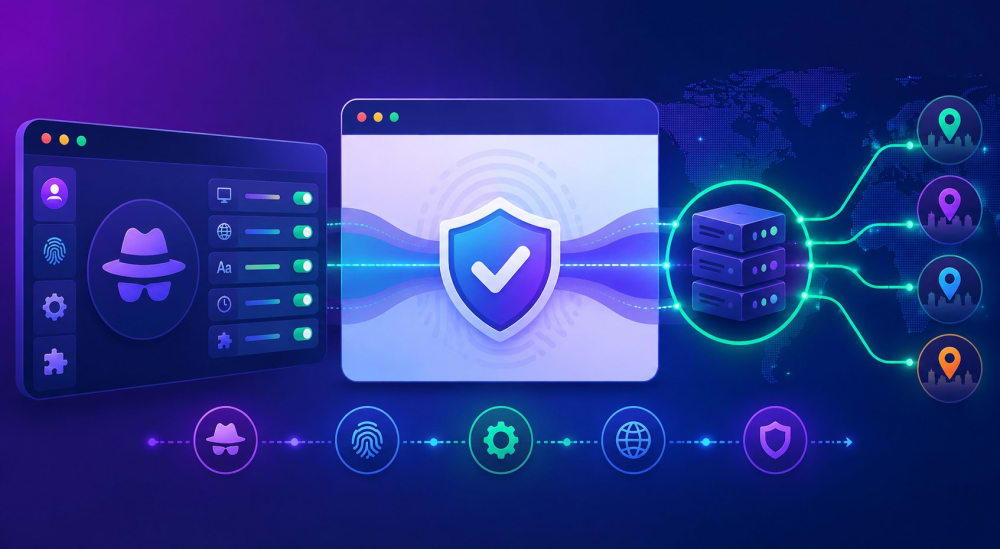
When a person opens a website, they reveal far more than just an IP address. Platforms can collect dozens of technical details, including browser version, screen resolution, installed fonts, GPU model, time zone, and even the way the device renders graphics. All of these characteristics together form a digital fingerprint — a unique identifier tied to a specific device. Because of this, if someone signs into multiple social media accounts from the same machine, platforms can often associate those accounts with each other.
To reduce this kind of tracking, users commonly combine anti-detect browsers with proxy servers. Together, these tools help manage multiple accounts more securely and independently.
What anti-detect browsers are
An anti-detect browser is software designed to create isolated virtual browser environments. Every profile imitates a separate device with its own set of parameters: operating system, display resolution, fonts, Canvas and WebGL data, language preferences, and time zone. From the perspective of a website, each profile appears to belong to a completely different user on another computer.
Unlike standard browsers, where private or incognito mode mainly clears cookies without changing the device fingerprint, anti-detect browsers modify many fingerprint parameters at once, allowing every profile to look unique.
Why proxies are used together with anti-detect browsers
Separation of network activity between profiles
Each anti-detect profile can operate through an individual proxy server. As a result, one profile may connect through an IP address from Kazakhstan, another through Germany, and a third through the United States. Websites therefore see not only different browser fingerprints, but also different network origins, making account linking much more difficult.
Better consistency for distributed teams
When multiple employees work with shared account infrastructures, team members from different locations can access the same browser profiles while using identical proxy settings. This keeps network-related parameters stable regardless of where the login occurs.
Regional testing capabilities
Marketing specialists often rely on this setup to verify how advertisements, interfaces, or offers appear in different countries. The proxy supplies the regional IP address, while the anti-detect browser aligns other settings such as language, currency, and time zone with the selected location.
How proxies and anti-detect browsers work together
The process typically works as follows:
- A user launches a specific profile inside the anti-detect browser.
- The browser generates a virtual environment with customized fingerprint settings.
- All traffic from that profile is routed through a designated proxy server.
- The proxy forwards requests to the destination website while masking the user’s real IP address with its own.
- The website only sees the proxy IP and the configured browser fingerprint, without direct access to the actual device data.
One of the most important factors is consistency between the fingerprint and the proxy location. For example, if a profile uses a US-based IP address, the browser language, time zone, and regional settings should also correspond to the United States. Fraud-detection systems can quickly identify mismatched combinations, such as a US IP paired with Russian language settings and Moscow time.
Several approaches are commonly used to verify that the connection is configured correctly.
- First, standard IP-checking tools such as MyIP help confirm which IP address websites detect and whether it matches the configured proxy.
- Second, dedicated WebRTC leak testing services can identify situations where the real IP address is exposed through UDP traffic because the proxy does not properly process WebRTC connections.
How proxy quality impacts browser profiles
The effectiveness of anti-detect browser profiles heavily depends on the quality of the proxies being used.
- Page stability and loading speed are influenced by the proxy server’s response time and bandwidth. Unstable or slow proxies may cause delays, errors, or interrupted sessions, which can increase the likelihood of triggering platform security systems.
- Geographic location also plays a role. While nearby servers usually provide lower latency, it is generally more important that the proxy location matches the region being simulated by the profile.
- Protocol support matters as well. SOCKS5 proxies are often preferred because they work at a lower network level and typically avoid modifying traffic packets, unlike HTTP proxies. However, even SOCKS5 proxies can incorrectly process UDP traffic and WebRTC requests, potentially exposing the user’s real IP address. Many anti-detect browsers and related utilities address this issue by properly routing all traffic types, including UDP.
Common use cases
Managing large numbers of work accounts
Agencies handling advertising accounts on platforms such as Meta Platforms, TikTok, or Google often use anti-detect browsers with proxies to isolate client accounts from one another. This setup helps ensure that issues affecting one profile do not impact the rest.
Regional advertising and interface testing
Advertising teams can launch multiple profiles with proxies from different countries to check how ads, prices, and landing pages appear to users in various regions.
Workflow separation inside traffic arbitrage teams
In arbitrage environments, separate departments may work with different account groups within a shared anti-detect infrastructure, while every account maintains its own fingerprint and dedicated proxy.
Market and competitor research
Tasks such as competitor monitoring, price tracking, and product analysis often require sending many requests to the same websites. Using anti-detect browsers together with large proxy pools helps distribute requests more naturally and lowers the risk of IP- or fingerprint-based blocking.
How to choose tools safely and effectively
When selecting an anti-detect browser, it is important to evaluate several factors:
- How quickly the browser updates its Chromium core. Browsers running outdated versions can stand out because their fingerprints differ from those of typical users.
- The quality of the fingerprint generation system. Effective anti-detect software should create realistic and internally consistent configurations where User-Agent, Canvas, WebGL, fonts, and operating system data all align naturally.
- The level of data isolation. Reliable tools use local encryption for cookies, sessions, and tokens to reduce the risk of profile theft or reuse in another environment.
When choosing proxies for anti-detect browsers, the following points are especially important:
- Compatibility with the anti-detect software, since some proxy providers may work inconsistently with specific tools.
- SOCKS5 support and proper handling of UDP traffic, especially on platforms that actively use WebRTC.
- Low latency and high connection speed, because poor performance can create suspicious behavior such as timeouts or unusually long loading times.
Conclusion
Anti-detect browsers and proxies complement each other by addressing different layers of identification. Anti-detect browsers modify the device fingerprint, while proxies replace the visible IP address. Combined, they create the appearance that every profile operates from a separate device in its own geographic region.
Belurk provides proxy solutions that can be integrated with anti-detect browsers. Features such as SOCKS5 support, stable connectivity, and a wide range of geographic locations make it possible to configure unique network environments for separate browser profiles while matching the required region and connection type.